

Best AI tools for productivity in 2026 for your chat assistants, meeting note-takers, automation, scheduling, and knowledge tools with beginner workflows you can copy. In 2026, AI has moved from futuristic hype to everyday essential for everybody, it’s the backbone of modern productivity.
If you’re overwhelmed by thousands of emails, meetings, research, or creative blocks, the best AI tools for productivity in 2026 can change your day magically without requiring a computer science degree. Whether you’re a founder trying to launch your products faster, or a marketer who wants producing content at scale, or a manager who is drowning in meetings, or a student balancing deadlines, the right AI tools can dramatically increase your output without increasing your workload and help you to sort then in no time.
But here’s the challenge: Which AI should you choose? there are now hundreds of AI tools claiming to boost productivity. So which ones actually matter? In this guide, I’ll break down for you the best AI tools for productivity in 2026, I will categorized by real-world use cases. You’ll learn from this:
Straightforward setup steps for your work , busy professionals seeking strategic integration tips, and curious users ready for a light technical dive. We’ll cover the top tools across key categories, real-world workflows, and how to build a seamless AI-powered stack. By the end, you’ll know exactly which AI tools for productivity in 2026 deserve a spot in your daily routine. Let’s dive in.
Why AI Tools Are a Game-Changer for Productivity in 2026
AI adoption has exploded because of 75% of knowledge workers are now using AI Tools in daily basis, with power users seeing measurable gains in output and job satisfaction. The shift isn’t just faster typing also it’s smarter orchestration.
What’s the result? The answer is, Less context-switching, fewer errors, and more time for your strategy and creativity. Whether you’re a solopreneur managing client projects or a team lead coordinating global meetings, these tools will adapt to your workflow. The key is choosing the right tools that match your needs and using them strategically rather than stacking random apps.
The Foundation: General AI Assistants
Before we talk about specialized tools, you need one core AI assistant. These are the “operating systems” of AI productivity.
1. OpenAI’s ChatGPT
ChatGPT (OpenAI) The Swiss Army knife of 2026 productivity. Powered by the latest GPT models, it handles writing, brainstorming, coding snippets, data analysis, and voice conversations. Best for: Writing, brainstorming, summarizing, coding help, structured thinking.
ChatGPT remains one of the most versatile productivity tools in 2026. It helps you:
- Draft emails and reports
- Summarize long documents
- Break down complex tasks
- Generate ideas
- Write code snippets
- Plan projects
For beginners, this is the easiest entry point into AI productivity. Use it not just to generate content, but to think better. Ask it to outline plans, evaluate options, and challenge assumptions.
Key features: Custom GPTs, file uploads, web browsing, voice mode, image generation. Turn vague ideas into detailed project plans in minutes. Upload a client brief and get a full timeline with deliverables. Multimodal reasoning; integrates via Zapier for auto-posting outputs to Notion or email. Pricing: Free / Plus $20/mo (higher limits + advanced models). Why it ranks among the best AI tools for productivity in 2026: It’s the fastest way to 10x research and drafting.
2. Anthropic’s Claude AI
Best for deep thinking and long-context work. Claude 4 excels at analyzing entire documents, writing nuanced content, and creative problem-solving. Claude excels at working with longer context and detailed reasoning. It’s especially strong for:
- Reviewing contracts
- Summarizing research papers
- Editing long-form content
- Structuring complex arguments
If you regularly work with large documents, this tool is a game-changer.
Key features: Artifacts (live editable documents/code), Projects for organized workspaces, extended thinking mode. Perfect for contract review or strategy documents that ask it to spot risks and suggest improvements. Superior reasoning on large files (200K+ tokens); safety-focused model reduces hallucinations. Pricing: Free / Pro $20/mo. Feels like a thoughtful colleague rather than a generic chatbot.
3. Perplexity AI
The search engine that cites sources and delivers report-length answers in seconds. Perplexity blends AI answers with source citations, making it ideal for:
- Market research
- Academic research
- Competitor analysis
- Fact-checking
If your work depends on accuracy, this should be part of your stack.
Beginner setup: perplexity.ai → type your question → enable “Deep Research” for in-depth reports.
Key features: Multi-model access (Pro), citations, follow-up questions, file uploads. Replace hours of tab-hopping with one 3-minute report on competitor analysis. Combines search + LLM reasoning; Pro unlocks GPT-4o, Claude, and custom models. Pricing: Free / Pro $20/mo. Essential for anyone whose job involves staying informed.
AI Tools for Writing & Communication
Clear communication is productivity. These tools refine, improve, and accelerate writing.
4. Grammarly
Polishes every email, Slack message, and report in real time. Beyond grammar correction, Grammarly in 2026 helps with:
- Tone adjustment
- Clarity rewrites
- Professional email drafting
- Style consistency
Perfect for professionals who write daily. Tone detection, full rewrites, brand voice customization (Business) and Maintain professional presence even when rushing
5. Jasper AI
The glue that connects everything. In 2026, Jasper AI act as autonomous teammates that complete multi-step tasks. Best for: Marketing content at scale
If you create blog posts, landing pages, ads, or social content, Jasper offers structured workflows designed for marketers.
AI Tools for Meetings & Notes
Meetings consume hours every week. These tools give that time back.
6. Fireflies.ai
Never take meeting notes again. It joins calls, transcribes accurately, and extracts action items. Fireflies records and transcribes meetings, then highlights:
- Action items
- Key decisions
- Important moments
Key features: Searchable transcripts, sentiment analysis, task assignment. End meetings knowing exactly who owns what follow up automatically via Zapier. Speaker identification + CRM integrations. Pricing: Free (limited) / Pro $10/user/mo. You never have to take manual notes again.
7. Granola AI
Best for: Interactive meeting memory. Granola not only captures meetings but lets you ask questions about past conversations. It turns your meetings into a searchable knowledge base.
AI Tools for Scheduling & Time Management
Productivity isn’t about doing more — it’s about doing the right things at the right time.
8. Motion AI
AI that automatically schedules your tasks around priorities and energy levels. Best for: Automatic calendar optimizationMotion auto-schedules your tasks based on deadlines and priorities. It protects focus time and reduces calendar chaos.
9. Clockwise AI
Best for: Team scheduling. Clockwise reorganizes meetings to create uninterrupted blocks of deep work time. Ideal for teams that struggle with constant interruptions.
AI Tools for Automation & Workflows
This is where productivity becomes exponential.
10. Zapier
Best for: Connecting everything Zapier links thousands of apps together. In 2026, Zapier also includes AI-driven automation builders and agents. If you use more than five apps in your workflow, you need automation. You can:
- Auto-send leads to your CRM
- Turn form submissions into tasks
- Generate AI responses automatically
- Trigger workflows from emails
AI Tools for Visual & Creative Productivity
Content is visual. AI accelerates design dramatically.
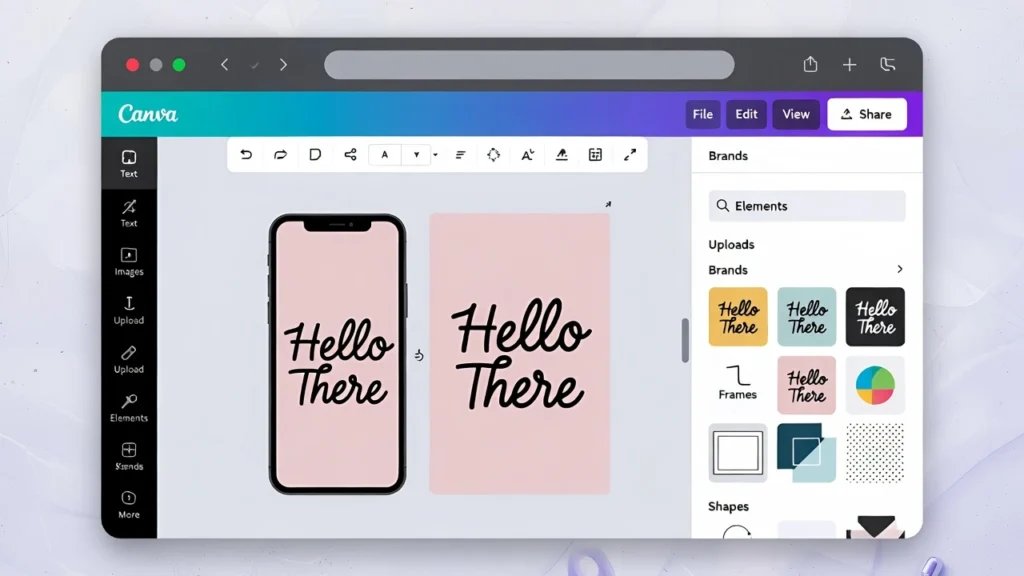
11. Canva
Best for: Fast visual content. No design background required. Canva’s AI features help generate:
- Presentations
- Social graphics
- Videos
- Brand kits
12. Plus AI
Best for: AI-powered slide decks. Plus AI integrates directly into Google Slides and PowerPoint, letting you generate or edit presentations with natural language. If you build decks regularly, this saves hours.
AI Tools for Building & Technical Productivity
Even non-developers can now build products.
13. Lovable
Best for: Turning ideas into apps. This dramatically lowers the barrier to launching tools or MVPs. Describe your app idea, and Lovable generates:
- Frontend
- Backend
- Database structure
- Deployment-ready code
How to Choose the Right AI Tools (Without Overwhelm)
Here’s the mistake beginners make: They try everything. Instead, follow this simple framework:
Step 1: Start With One Core AI Assistant
Choose either:
- ChatGPT
- Claude
Use it daily for thinking, writing, and planning.
Step 2: Identify Your Biggest Time Drain
Ask yourself:
- Is it meetings?
- Writing?
- Research?
- Scheduling?
- Repetitive tasks?
Add one specialized tool that solves that specific problem.
Step 3: Add Automation Last
Once you understand your workflow, introduce Zapier to connect your tools and eliminate manual repetition.
A Simple AI Productivity Stack for 2026
If you want a practical starting setup:
- ChatGPT (thinking + writing)
- Perplexity (research)
- Fireflies (meetings)
- Motion (calendar)
- Zapier (automation)
- Canva (visual content)
That’s more than enough for most professionals.
Final Thoughts: AI Won’t Replace You — But It Will Replace Manual Work
The best AI tools for productivity in 2026 are not about replacing humans. They’re about:
- Reducing mental load
- Eliminating repetitive tasks
- Improving clarity
- Increasing execution speed
AI is now a thinking partner, a meeting assistant, a scheduler, a researcher, a designer, and an automation engine — all at once.
The key is not using every tool. It’s using the right combination strategically. Start small. Integrate deeply. Automate intelligently. And let AI handle the busywork — so you can focus on meaningful work.